Monitor Agnoplay player service
Connect Mux Data to the Agnoplay player service to collect playback performance metrics. Use this guide when your application plays video with Agnoplay. Agnoplay has Mux Data pre-integrated, so you do not need to write code to activate it.
Mux Data collects playback performance metrics from the Agnoplay player service. Use this guide when your application plays video with Agnoplay and you want to monitor the playback experience of your viewers. Agnoplay has Mux Data pre-integrated, so you do not need to write code to activate it. You do not need Mux Video to use Mux Data.
Third-party integration
This integration is managed and operated by Agnoplay. Feedback should be made through your Agnoplay representative https://agnoplay.com or info@agnoplay.com.
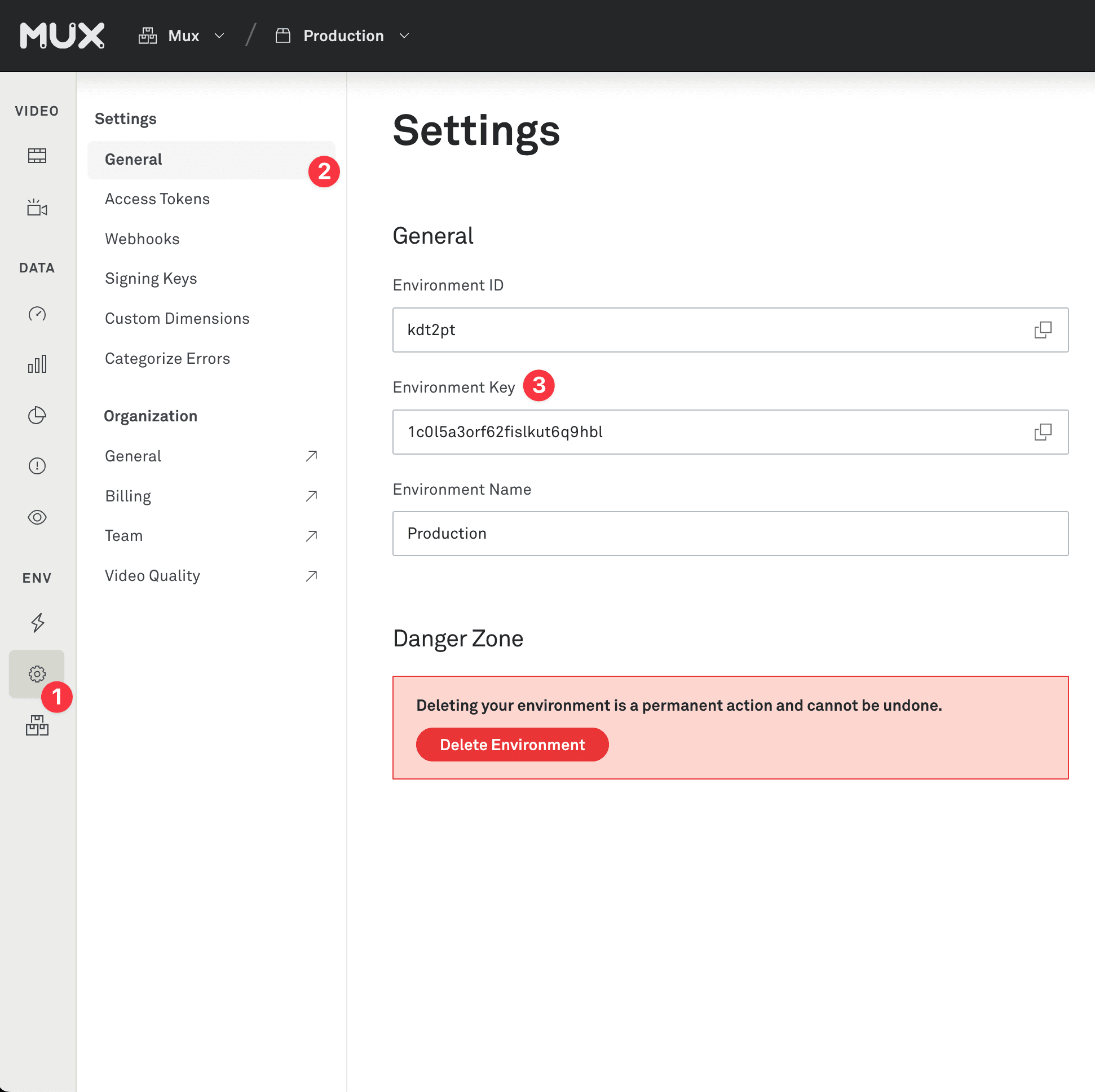
Environment key
Get your ENV_KEY from the Mux environments dashboard.
Env Key is different than your API token
ENV_KEY is a client-side key used for Mux Data monitoring. These are not to be confused with API tokens which are created in the admin settings dashboard and meant to access the Mux API from a trusted server.
Contact Agnoplay
Contact your Agnoplay representative through https://agnoplay.com or info@agnoplay.com, and provide them with your environment key.
Wait for the magic
The Agnoplay support team will add your environment key to the configuration of Agnoplay instance, after which your Mux Data environment will be populated with data within minutes. That's all to it.