Every user-generated content site needs content moderation. We’ve spilled lots of ink on this topic over the years, and even a Demuxed talk.
Feel free to dive into any of those links if it suits you. What I’m here to show you today is a one-click content moderation dashboard.
If you want to cut to the chase, here’s the GitHub link, and here’s a video of me walking through it:
Robots at work
The new Mux Robots API is what powers this, there are a few APIs in play here. Each of these jobs is tied to a Mux asset_id and runs async in the background.
POST /robots/v0/jobs/moderate
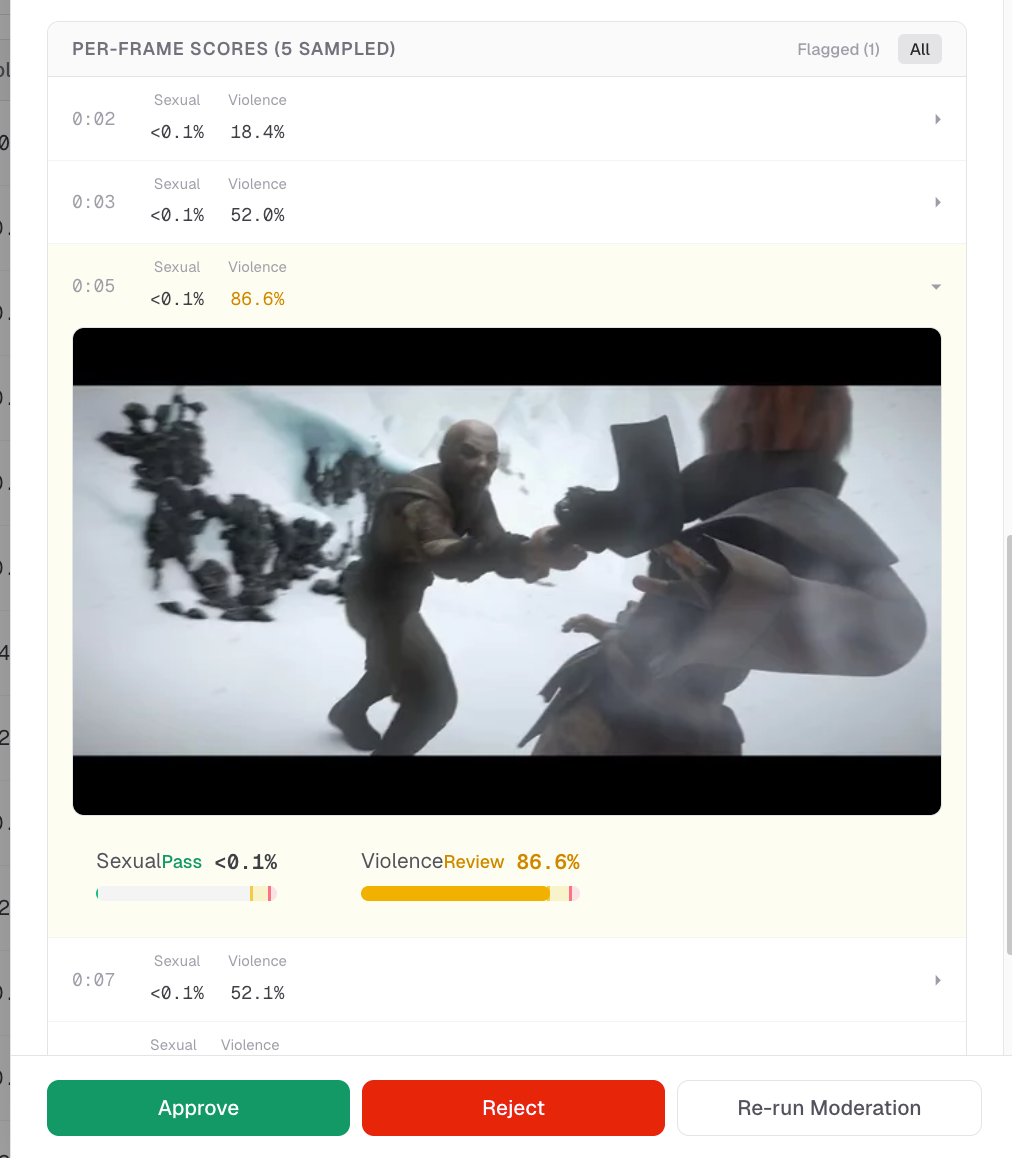
This is the data you get back from a “moderate” job:
{
  "thumbnail_scores": [
    { "time": 0, "sexual": 0.01, "violence": 0.02 },
    { "time": 30, "sexual": 0.03, "violence": 0.15 },
    { "time": 60, "sexual": 0.02, "violence": 0.05 }
  ],
  "max_scores": { "sexual": 0.03, "violence": 0.15 }
}
That is the job that powers this part of the UI. This helps the content moderator understand exactly what triggered the content moderation review.
POST /robots/v0/jobs/summarize
The summarize endpoint sends back a summary and tags. Right now this is used as extra context for the reviewer, and it comes in handy to get a quick glance at what content is in the video before clicking play.
{
  "title": "Snowy Combat Encounter",
  "description": "A warrior engages in a high-stakes sword fight against an opponent in a desolate, snowy mountain landscape. The characters trade blows amidst the ice and rocks, demonstrating intense physical combat and agility under harsh winter conditions.",
  "tags": [ "combat", "battle", "snow", "warrior", "fantasy", "swordfight", "adventure", "action", "glacier" ]
}POST /robots/v0/jobs/ask-questions
This is the one I didn’t realize we needed until we tried it. It's extremely handy. To put it simply, you can just ask a yes/no question and get back an answer. I find this works really well when specific communities or specific groups are abusing your platform.
The data you get back is this:
{
  "answers": [
    {
      "skipped": false,
      "reasoning": "The visual style, specifically the character modeling, textures, and fluid movement patterns, is characteristic of 3D computer-generated animation.",
      "question": "Is this an animated video?",
      "confidence": 1,
      "answer": "yes"
    }
  ]
}
To give you an idea of how this looks in practice, these are some of the questions we ask:
- Is this a professionally produced full length movie or TV show, or a standalone segment from it?
- Does this video use offensive language, and/or is likely to offend?
- Does this contain explicit slurs, dehumanization, or threats toward a protected group (not general insults or political opinions)?
Integrating the content moderation dashboard into your application
There are a couple of ways I expect you would want to use this repo in terms of actually integrating it into your application.
Webhook Setup
The first is to use the one-click deploy button, run this on Vercel as-is and wire up the webhook notifier. So then you have:
- Your application backend, which you already have today. That is where your user accounts live, and where Mux asset IDs, metadata, etc. are all being stored in your database
- This moderation dashboard, which sits separately from your application and has the sole responsibility of moderating content that is uploaded. This dashboard has its own database of asset IDs and the output of all the Robots jobs, moderation scores, etc.
- The way the two “talk” to each other is through the webhook from the moderation dashboard to your application backend.
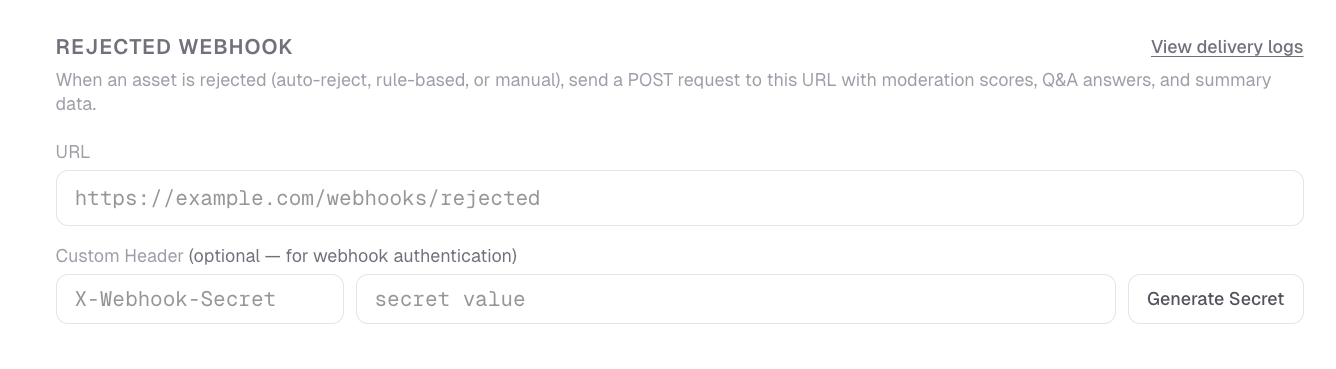
The configuration panel for the app has a Webhook configuration setup. When something is rejected, either automatically based on a rule or a threshold, or manually by clicking “reject” in the dashboard, then it will trigger the rejected webhook.
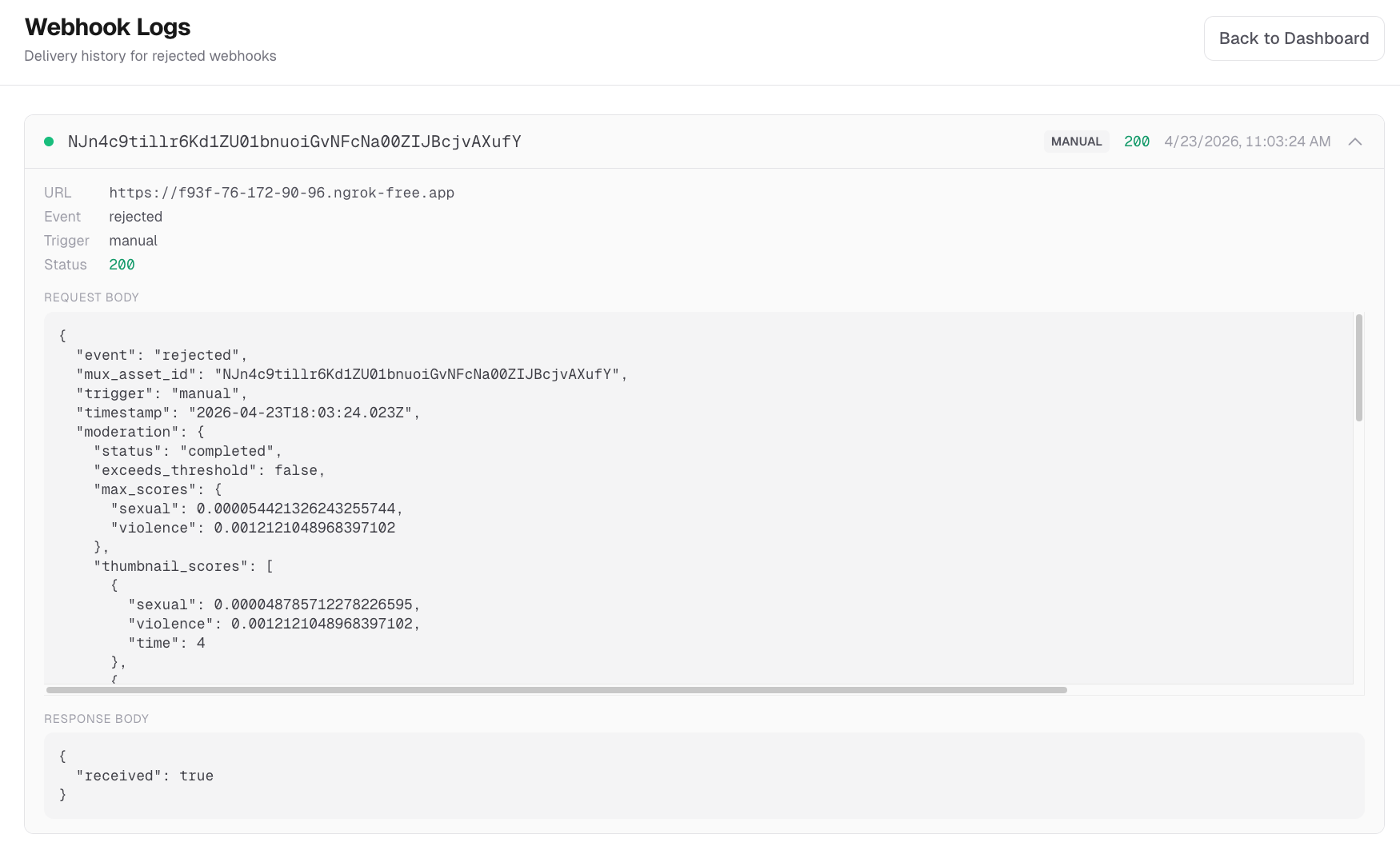
The dashboard has delivery logs for debugging webhook deliveries.
I think this setup works perfectly fine and can cover a lot of use cases. It does have some tradeoffs though, mainly running an entirely separate app and having assets data saved in two places.
Vibe your own, with this as inspiration
You may want to take this dashboard as inspiration, and work with a coding agent to “vibe code” a content moderation dashboard into the existing backend / admin area for the application you already have. You might prompt it like this (I’m paraphrasing here, but you get the idea):
Take a look at Mux’s content-moderation-dashboard project: https://github.com/muxinc/content-moderation-dashboard

This dashboard is using several of the [Mux Robots API endpoints](https://www.mux.com/docs/guides/robots) to power the content moderation dashboard.

The full Mux API spec is here: https://www.mux.com/api-spec.json

I want to make sure that every video uploaded in my app gets run through a content moderation flow like this, and I want to establish review and auto-reject thresholds, similar to how this dashboard does it.

Understand the example `content-moderation-dashboard` from Mux, and then make a plan to build out something similar for my needs.

Is there anything this app is doing that I might not need to do? Or are there other things I should consider in my app that this example doesn’t do?

Ask me questions as you’re making a plan.Happy moderating
I hope this project and Mux Robots makes it easier for you to add reliable and robust content moderation to your user-generated content application. Here's a link to the Github repo -- please reach out and let us know how you’re using Robots!